
TUTORIAL
Start your plan in under 2 minutes
Three simple parts, fourteen quick steps. Follow along below — every screen is shown exactly as you’ll see it.
WATCH THE NARRATED WALKTHROUGH
PART 1
Build your plan
- 1
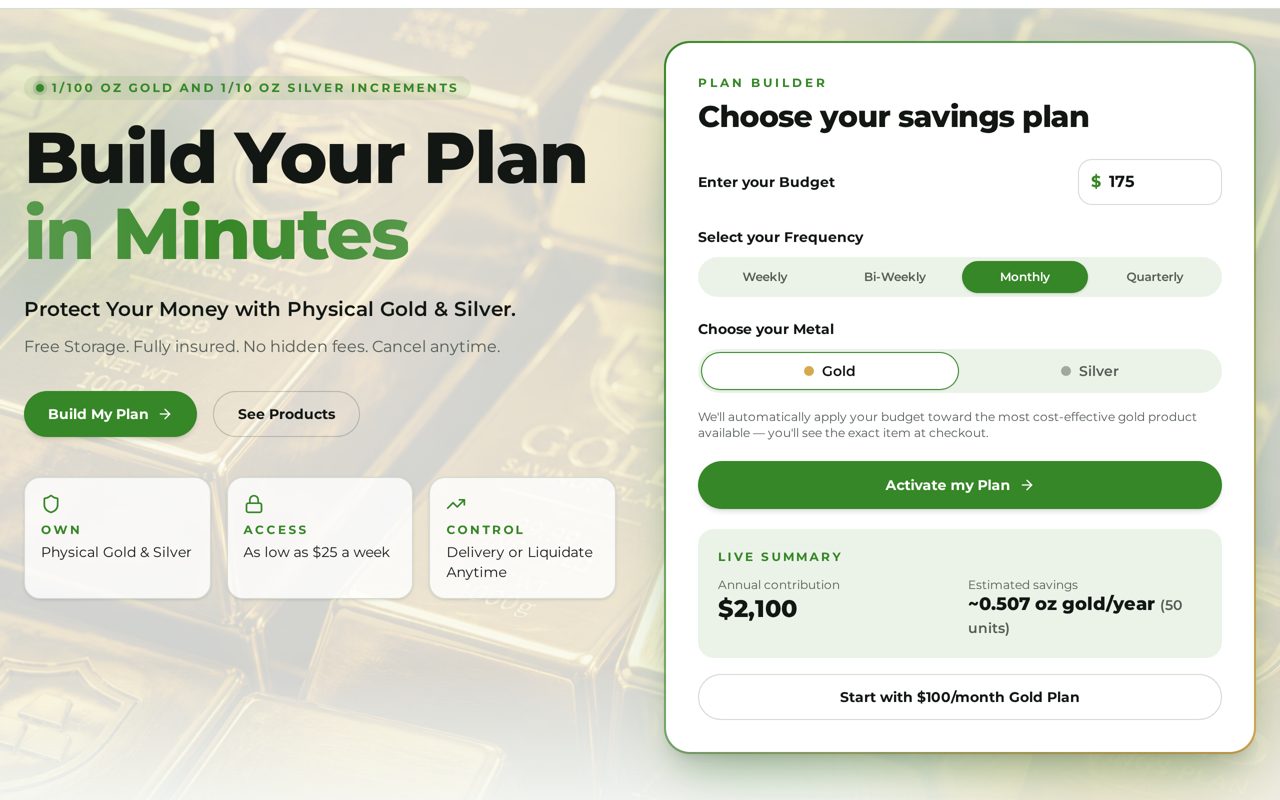
Click “Build My Plan”
On the home page, tap the green Build My Plan button — or use the Plan Builder on the right side of the page.
- 2
Enter your budget
Type how much you want to save each time. Plans start as low as $25 a week.
- 3
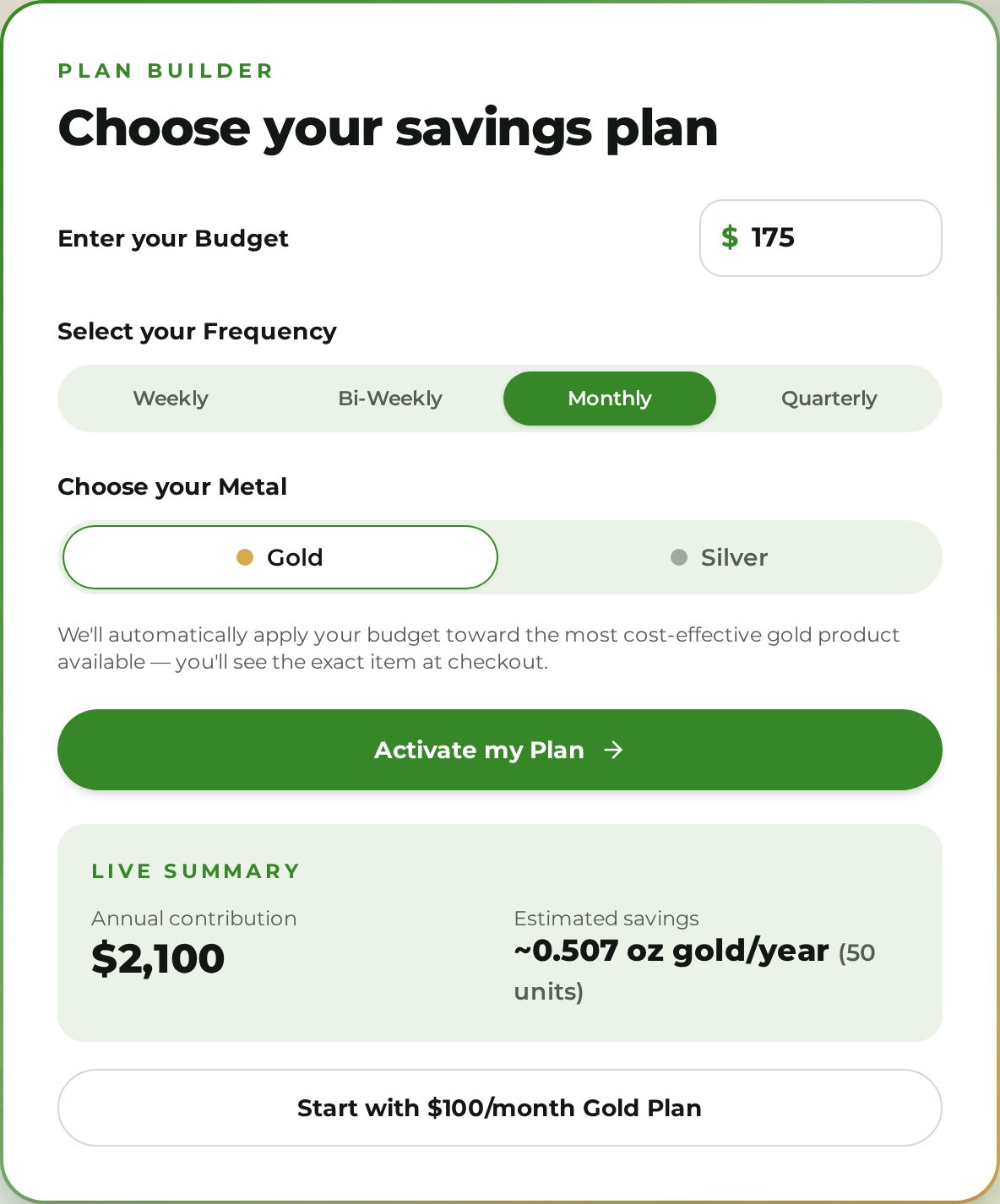
Select your frequency
Choose Weekly, Bi-Weekly, Monthly or Quarterly — whatever matches your paycheck.
- 4
Choose Gold or Silver
Pick your metal. Gold is bought in 1/100 oz units, silver in 1/10 oz units, at live spot prices.
The Live Summary shows your yearly contribution and estimated ounces instantly.
- 5
Click “Activate my Plan”
Your plan is saved and you move on to create your account.
PART 2
Create your account
- 6
New here? Click “Create One”
Already a customer? Just log in and skip to Part 3.
- 7
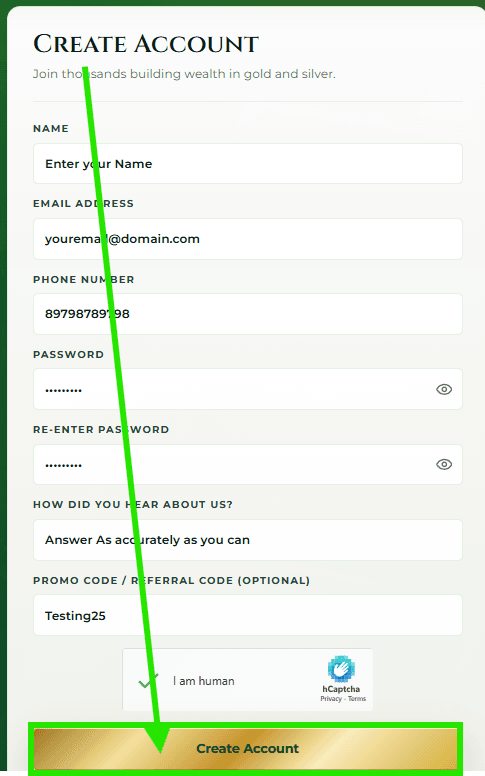
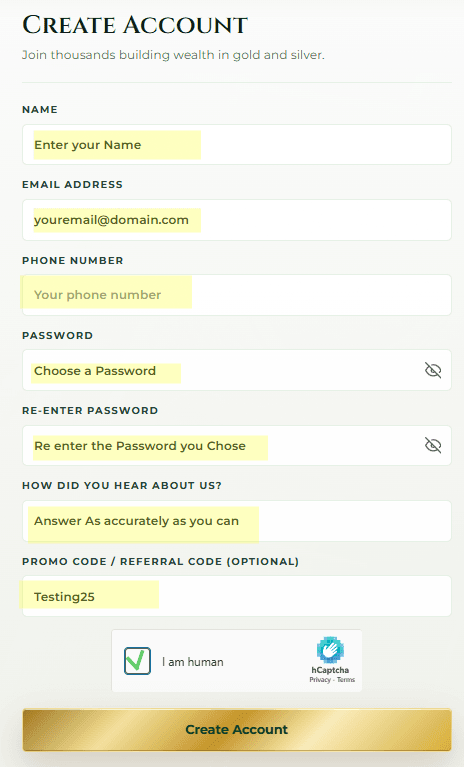
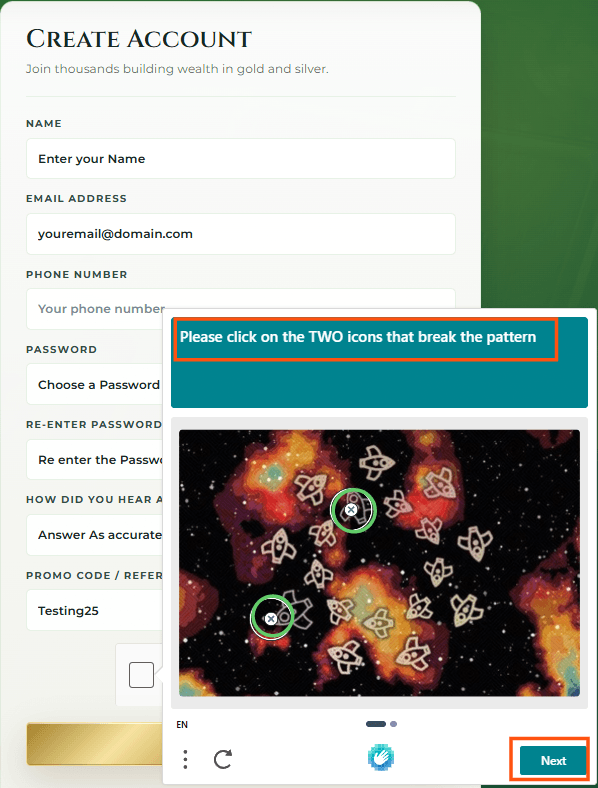
Enter your information
Fill in your name, email and password, then check the “I am human” box and follow any pop-up prompts.
- 8
Click “Create Account”
Your account is created and your plan is waiting for you at checkout.
PART 3
Checkout & activate
- 9
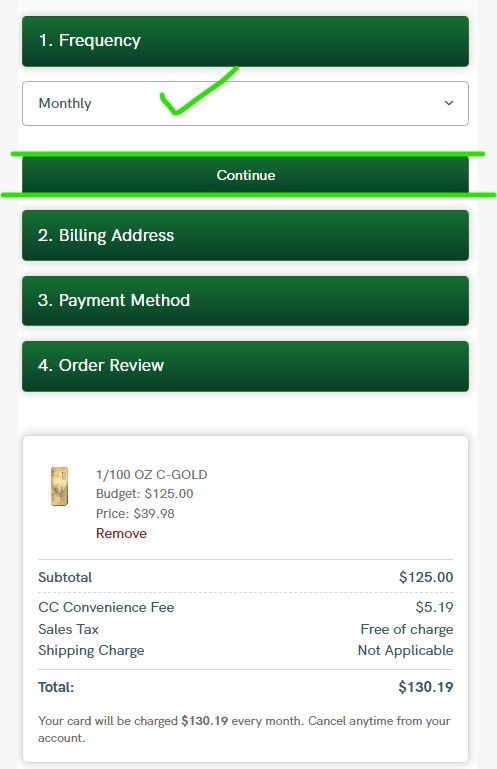
Verify your frequency
Double-check your budget and how often you’ll save.
- 10
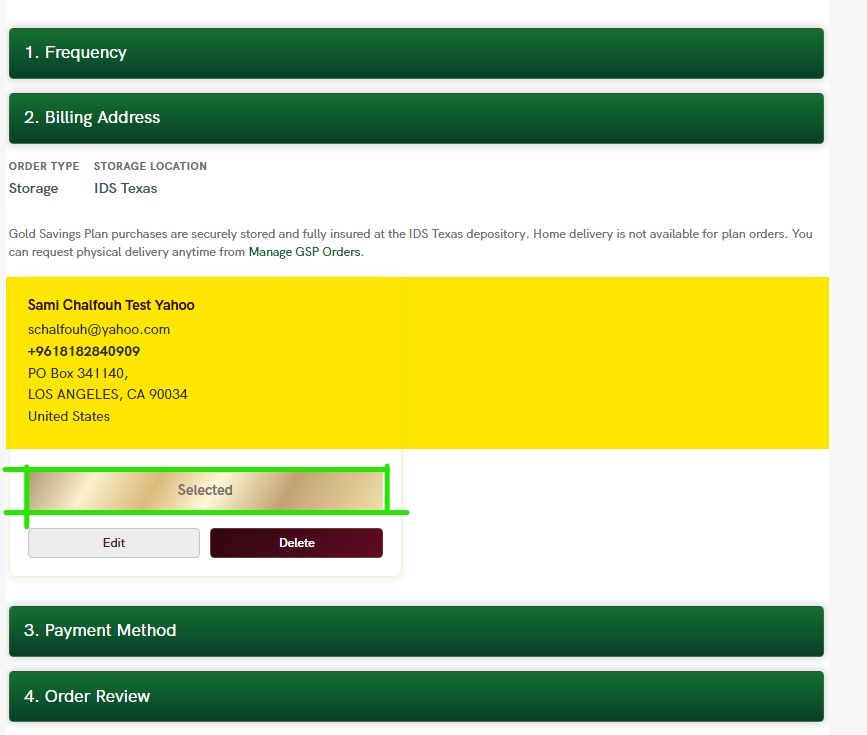
Add your billing address
Enter your billing address, then select it.
- 11
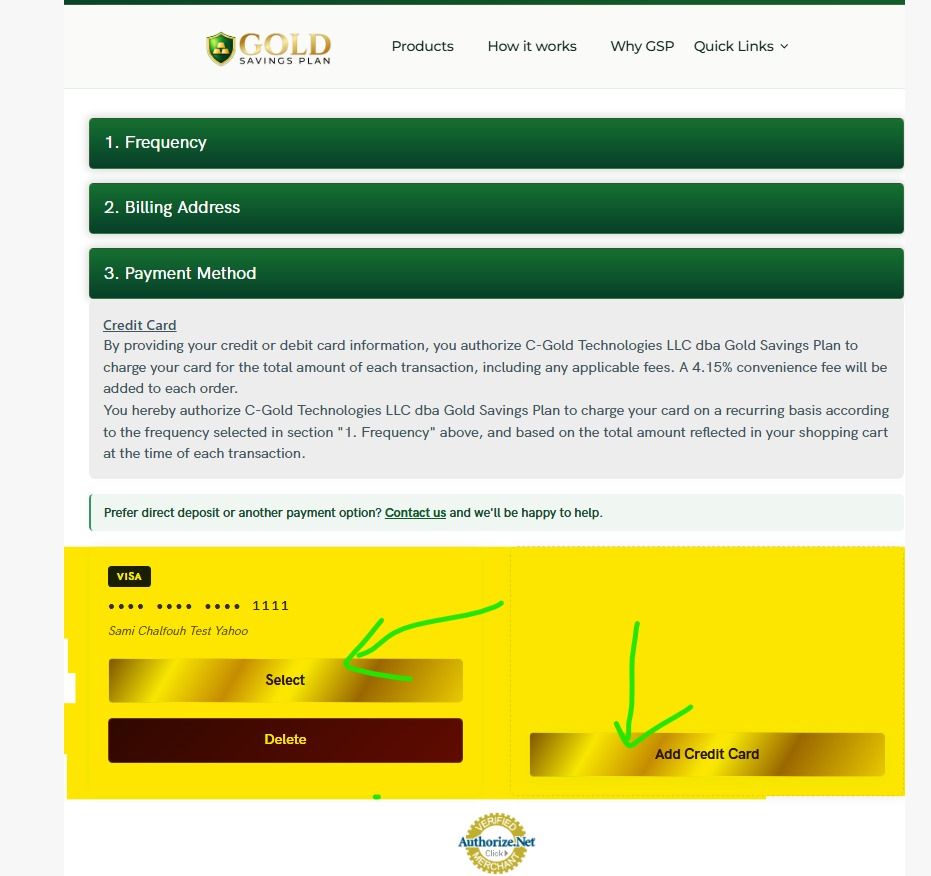
Add your card
Enter your credit or debit card, then select it. Payments are secure and encrypted.
- 12
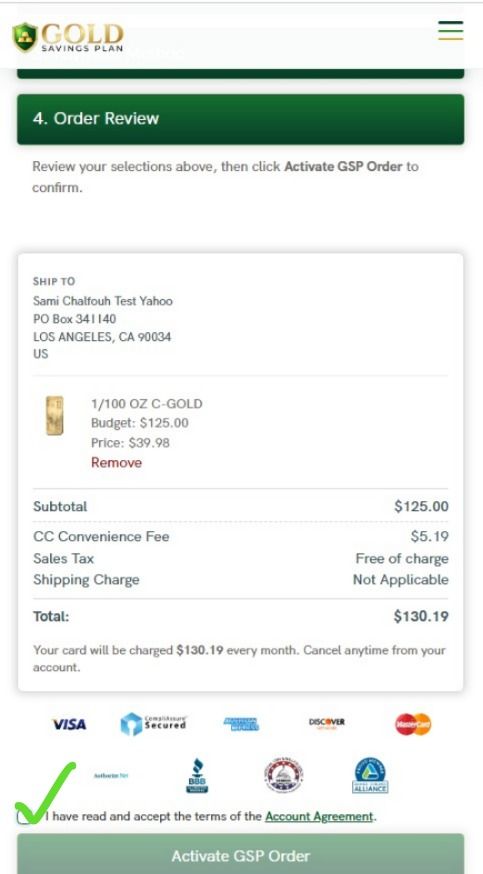
Review & agree
Review your order and the account agreement, then check the box.
- 13
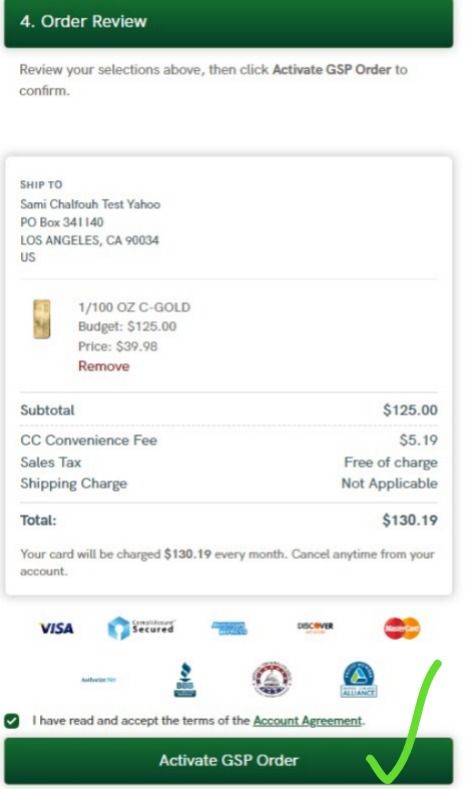
Activate your GSP order
Click Activate — your first purchase is scheduled automatically.
- 14
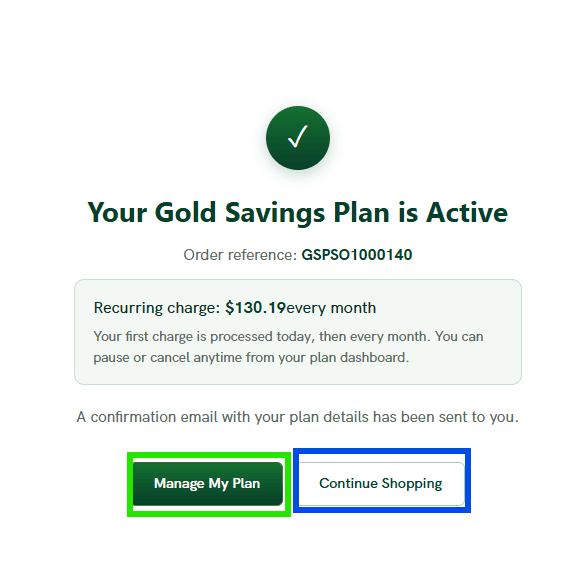
You’re done!
Manage your plan anytime from your account, or add another order.
Ready? It takes less than 2 minutes.
Free insured storage. No hidden fees. Cancel anytime.
Build My Plan